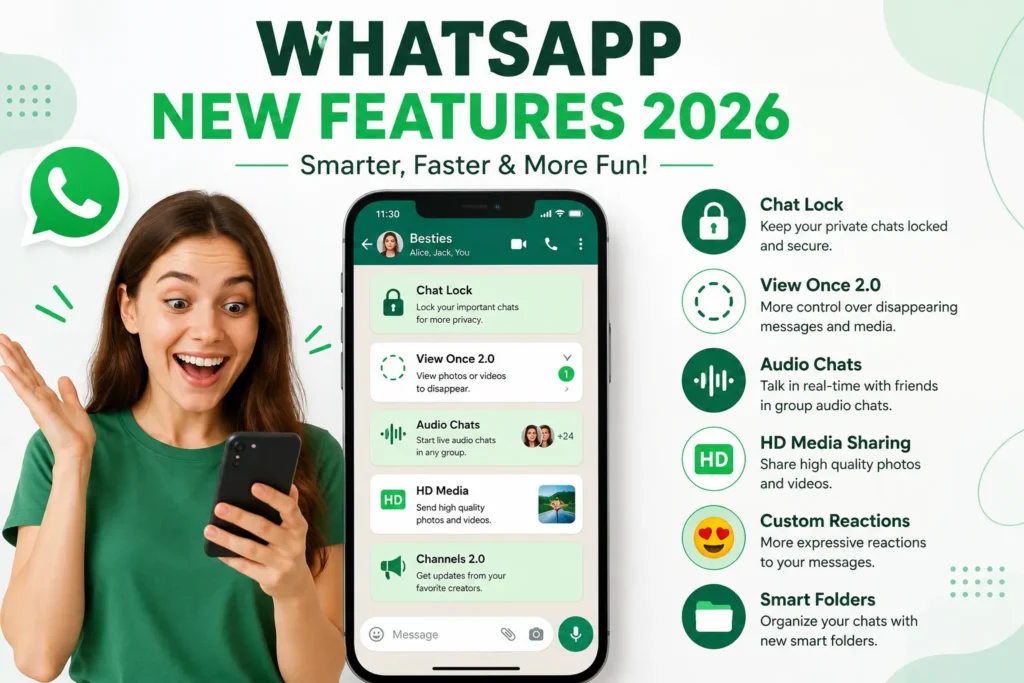
WhatsApp New Features 2026, My brother switched from Android to an iPhone back in March, and for about ten minutes he genuinely thought he’d lost four years of chats with our family group. No backup, no export, just a new phone and a sinking feeling. Then he remembered WhatsApp had announced something about chat transfer a few weeks earlier, dug through settings, and watched every single message including that ridiculous meme thread from 2022 show up on the new phone in about fifteen minutes.That one update alone would’ve been worth writing about. But 2026 has honestly been one of the busier years for WhatsApp updates I can remember, and a lot of it isn’t the usual sticker-pack nonsense. Some of it is stuff I now use every single day without thinking twice.
So instead of listing every changelog bullet point Meta has ever published, here’s what I’ve actually tested, what worked the way it was supposed to, and what tripped me up along the way.
Table of Contents
Moving your chats between Android and iPhone finally works properly
This is the big one, and it’s been years in the making. For the longest time, going from Android to iPhone (or the reverse) meant your WhatsApp history just stayed behind on the old device unless you paid for some third-party transfer tool.
That’s genuinely fixed now, in both directions.Download Whatsapp here:
Set up your new iPhone, but stop at the “Apps & Data” screen don’t finish setup first.
On your old Android phone, make sure WhatsApp is updated and you’ve got a recent backup done through Chats > Chat Backup > Back Up Now.
Use Apple’s “Move to iOS” app on the Android phone, select WhatsApp when it asks what to transfer.
Keep both phones plugged in and awake until it says “Transfer Complete.” My brother’s took about fifteen minutes; a friend with a much heavier chat history said hers took almost an hour.
iPhone to Android (including Pixel and Samsung):
You’ll need a USB-C to Lightning cable this part surprised me, I assumed it’d be fully wireless.
On the new Android phone, follow the setup prompt to copy data from iPhone.
Scan the QR code shown on the Android screen using your iPhone’s camera.
Confirm you want WhatsApp included in the transfer.
The one mistake I’ve seen people make: starting to use WhatsApp on the new phone before finishing the transfer. If you send or receive even one message before the transfer completes, you risk overwriting things. Set up the SIM, connect to WiFi, and do the transfer before you touch the app itself.
Dual accounts on iPhone no more carrying two phones
Android users have had this for a while, but iPhone finally caught up. If you’ve got a personal number and a work number, you can now run both inside the same WhatsApp app instead of juggling a second device or a work phone you keep forgetting to charge.
Each account gets its own profile, its own chat list, and separate notifications so you’re not confused about which number just buzzed. Switching is a single tap from the chat list. I moved a friend’s small business account over to this from a second phone, and honestly the only adjustment was remembering to check both tabs before assuming your inbox is empty.
Storage management that doesn’t nuke the whole conversation
Before this update, “clearing space” on WhatsApp basically meant either living with a full phone or deleting an entire chat and losing the conversation along with the media. Neither felt great.
Now there’s a proper storage manager under Settings > Storage and Data that shows you exactly which chats are eating your space, and lets you delete the heavy stuff old videos, forwarded images, voice notes you’ll never replay while keeping the actual text conversation intact.
I ran this on my own phone expecting to clear maybe half a gig. It freed up almost 4GB, mostly from a family group that apparently forwards every single video someone’s dad shares.
Also Read: New WhatsApp Features Keep Up With the Way You Actually Live
AI photo touch-ups and smart replies – useful, not gimmicky
I went into this expecting another filter gimmick. It’s not, at least not the way I use it.
Before sending a photo, there’s now a quick AI touch up option basic stuff like lighting correction and background cleanup, nothing that turns your photo into a cartoon. It’s the kind of thing that’s handy when you’re sending a quick product photo to a customer and don’t want to open a separate editing app first.
The suggested replies feature drafts short responses based on the conversation, which I mostly use to speed up replying to routine questions when I’m busy. I still edit almost everything it suggests before sending it’s a starting point, not a replacement for actually typing your answer.
Chat Lock and the Secret Code of WhatsApp New Features 2026
Chat Lock itself isn’t brand new, but the Secret Code addition changes it meaningfully. Instead of every locked chat showing up under one obvious “Locked Chats” folder that anyone glancing at your phone could tap into, you can set a separate code that hides the folder entirely from the main chat list. Type that code into the search bar and the locked chats appear.
Here’s my mistake, and it’s an embarrassing one: I set a secret code, forgot it wasn’t the same as my phone’s lock screen PIN, and locked myself out of a chat I needed for two days until I remembered the actual code I’d chosen. Write it down somewhere that isn’t your phone. That’s the whole lesson.
Combined with the broader “Advanced Chat Privacy” setting, which blocks the other person from exporting your chat, auto-saving your media to their gallery, or using your profile photo with Meta AI within that conversation, it’s a genuinely useful privacy layer for chats you’d rather not have floating around outside WhatsApp.
Voice message transcripts
If someone sends you a two-minute voice note in a meeting you can’t step out of, you can now get a text transcript instead of playing it out loud. It’s not flawless accents and background noise still trip it up occasionally but for straightforward voice notes it’s accurate enough to actually rely on, and it’s saved me from a few awkward “let me just step outside” moments during work hours.
Calling from WhatsApp Web – been a long time coming
WhatsApp Web finally supports actual voice and video calls, not just messaging. Individual calls rolled out earlier in the year, and group calling up to 32 participants with screen sharing has been rolling out gradually since. If you don’t see the call icon at the top of a chat yet on your browser version, it’s likely still making its way to your account rather than something you’re doing wrong.
For anyone who spends the workday with WhatsApp open in a browser tab and hates switching to a phone for a quick call, this closes a genuinely annoying gap that’s existed for years.
iPad support and CarPlay – smaller, but worth knowing
You can now set up a standalone WhatsApp account directly from an iPad instead of it just mirroring your phone through a linked device. CarPlay integration also got an upgrade, making it easier to handle messages and calls hands-free while driving without fumbling with your phone at a red light.
Communities, Channels, and the smaller group fixes
A few quieter updates round things out: polls now work in one-on-one chats and not just groups, new members added to a group can see recent message history instead of joining a conversation mid-thread with zero context, and admins can tag specific members or set event reminders inside a group. None of these are headline features, but if you run any kind of active group chat, they cut down on the “wait, what did I miss” messages considerably.
Skipping the backup before a phone transfer. Even with the official transfer method working well, do a manual backup first. It takes two minutes and it’s your safety net if anything interrupts the process.
Assuming a feature is broken when it’s just not rolled out to you yet. WhatsApp still ships most of these gradually, region by region and account by account. If your friend has group calling on web and you don’t, that’s normal not a bug on your end.
Forgetting your Secret Code. Already covered, but worth repeating because I really did lock myself out over it.
Treating AI suggested replies as ready to send. They’re a draft, not a final answer, especially in anything work-related.
Where this leaves things
None of these updates individually feel revolutionary, and I don’t think Meta is trying to reinvent the app. What’s changed is that WhatsApp finally closed a bunch of gaps that have annoyed people for years the Android to iPhone chat transfer especially. My brother’s ten minutes of panic in March turned into fifteen minutes of relief, and that’s really the whole story of this year’s updates less flash, more of the stuff that should’ve worked this way all along.
Can I transfer WhatsApp chats between Android and iPhone without losing anything?
Yes, using the official method Move to iOS for Android-to-iPhone, or the QR code and USB-C cable method for iPhone-to-Android. Always run a fresh backup first as a safety step.
Do I need a new phone number to use dual accounts on iPhone?
Yes, you need a second, separate number to add as your second account – the feature doesn’t let you run one number twice.
Is the AI photo touch-up feature available to everyone?
It’s rolling out gradually, so if you don’t see it yet in your send screen, it likely hasn’t reached your account or region yet.
What happens if I forget my Chat Lock Secret Code?
You’ll need to reset it through your phone’s WhatsApp settings, which typically requires re-verifying your account. It’s genuinely easier to just write the code down somewhere safe.
Does WhatsApp Web calling work on every browser?
It’s been rolling out primarily on Chrome and Edge first during beta, with wider browser support expected as the feature matures. If you don’t see the call icon yet, check for an app update or try joining the beta program under Settings.
Bilal Ahmad
Bilal Ahmad is the Founder and Editor of GlobalNewsHubz. He writes about technology, world news, government schemes, and digital trends. His goal is to provide readers with accurate, well-researched, and easy-to-understand information using trusted and official sources.